This will act as a grouping agent for all the items you add that go together to form your product.
To add a product record, navigate to Plugin System > Manage Products > Add/Import Product then use the Add New Product form.
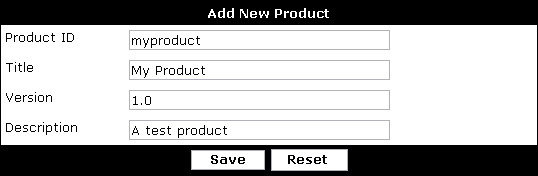
| Product ID | This is the most important field of a product - all items added to the product such as templates, plugins, phrases etc. will all reference this value to indictate their attachment to the product. Product IDs can contain lowercase letters, underscores and numbers but no other characters. Note: Please do not name your products with a 'vb' prefix, such as vbelephant or vbsidewalk. The 'vb' prefix is reserved for official vBulletin products released by Jelsoft or its affiliates. |
| Title | The title field is used to give your product a recognizable name for the purposes of identification. |
| Version | The version field is important as it is used in the product upgrade process. A version value of 2.0 is considered newer than 1.0 etc. |
| Description | Fairly self-explanitory, the description field is used to give a little more detail about your product than the title field. |