To add a Subscription, click
Subscriptions > Add New Subscriptions. You will be presented with a screen like this:
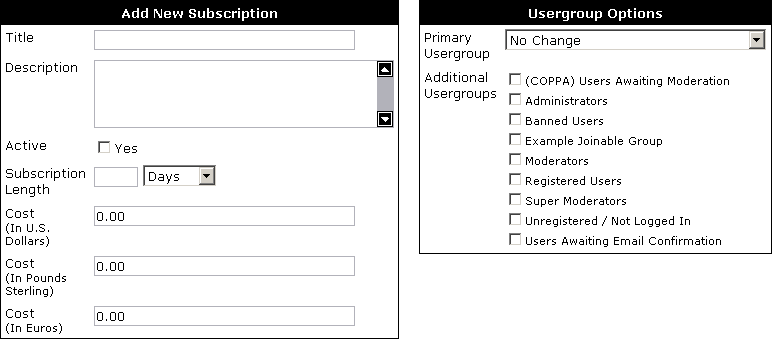
- Title – Subscription title.
- Description – a short description which can be used to describe what the subscription offers.
- Active – if checked users will be able to subscribe to this Subscription.
- Subscription Length – the length of time the user will remain in the subscription before being reverted.
- Cost – the various costs in each currency, if the value is left blank the payment option will not be available.
- Primary Usergroup – the primary usergroup that the subscription should change, this is not always required.
- Additional Usergroups – the secondary usergroups that the user joins on subscription.
The access masks for a user may also be changed so that the user may gain access to a private forum.
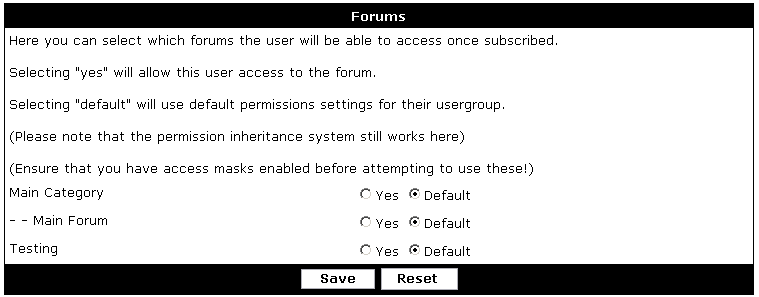
Please read the
permission system section for further information regarding access masks and usergroups.