As an administrator, you have the ability to specify what types of attachments you wish to allow, as well as the maximum filesize. In regards to images, you can specify the maximum dimensions for popular image formats.
Navigate to
Attachments->Attachment Manager.
You will be presented with the current file types that your forum allows for message attachment.
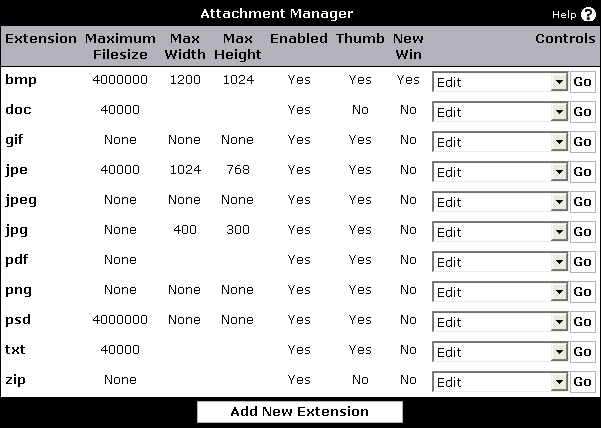
To add a new extension for message attachment, press the
[Add New Extension] button.
To edit an existing extension, select the
Edit option to the right of the extension.
To specify usergroup permissions for an extension, select the
View Permisisons option to the right of the extension.
Copyright © 2009 vBulletin Solutions. All rights reserved. vBulletin™ is a registered trademark of vBulletin Solutions.